
AI features.
Subtitles, dubbing and character chat.
Optional AI subtitles, translation, dubbing and a character chat. They use your own provider accounts and keys, you pay the providers for what you use, and everything is off until you turn it on. Viewers always see an AI label.
01Providers
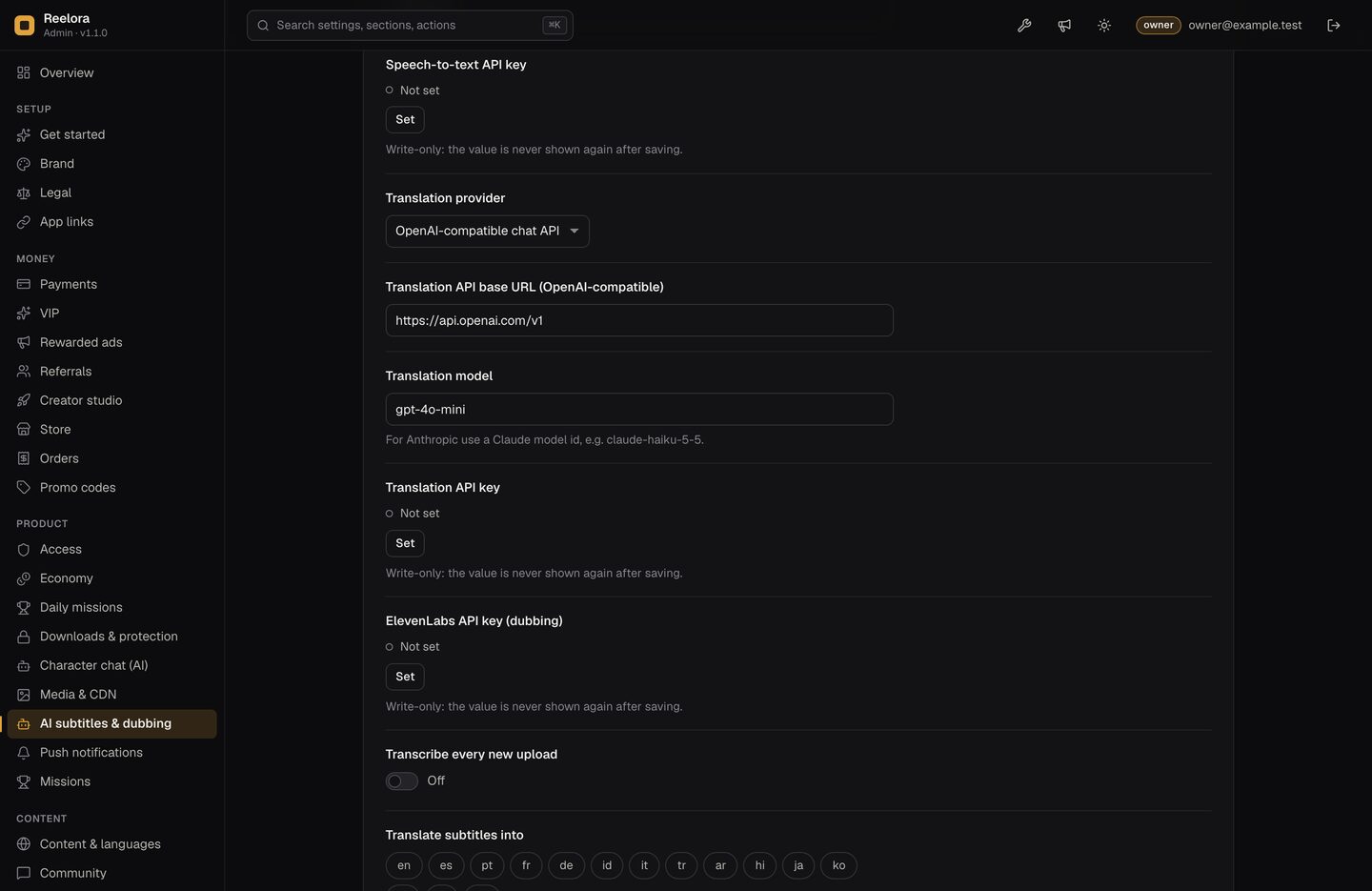
Console → AI subtitles & dubbing. Keys are secrets: owner only, write-only.
| Job | Provider | Console fields |
|---|---|---|
| Speech-to-text | Any OpenAI-compatible /audio/transcriptions endpoint: OpenAI Whisper (default), Groq, or a self-hosted Whisper server | Base URL (default https://api.openai.com/v1), model (default whisper-1), API key |
| Translation | An OpenAI-compatible chat API, or Anthropic Claude | Provider, base URL, model (default gpt-4o-mini; for Anthropic a Claude model id), API key |
| Dubbing | ElevenLabs Dubbing API | ElevenLabs API key |
02In the console
03Subtitles and translation
- Per episode: start a job in the Library (episode drawer).
- Automatically: turn on Transcribe every new upload and choose languages in Translate subtitles into (15 languages available, none selected by default).
- Check the result on Media jobs. AI tracks are labelled "AI" for viewers and can be edited or replaced in the Library.
Transcription and dubbing need an uploaded video; episodes with an external video address can only have existing subtitles translated.
04Dubbing
With an ElevenLabs key set, start a dubbing job for an episode and a target language in the Library. The dubbed audio track appears in the player's audio menu with an "AI" label.
05Character chat
- Describe characters in the Library for each series: up to 8, each with a name, a one-line tagline and a persona. The persona is your instruction to the model and is never shown to viewers.
- Set the translation API key (above). The chat entry appears in the app and the web player only when character chat is on and this key is set, so viewers never see a chat that cannot answer.
- Console → Character chat (AI): turn it on and set the limits.
| Setting | Default | Meaning |
|---|---|---|
| Only for VIP members | off | Limit the chat to viewers with an active VIP pass. |
| Messages per viewer per day | 20 | Each viewer's daily allowance. |
| Messages per day for the whole server | 1000 | A hard cap on all chat messages per day, which caps your AI bill. When it is reached, viewers see "Character chat is busy today". |
Only viewers with an account (e-mail and password) can chat; guests are asked to create a free account. Both limits are counted in one database transaction before the provider is called, so parallel requests cannot go over them. Messages and answers are kept short, and the model only plays characters you wrote.
Viewers open the chat from the player after an episode and see an "AI character" label. It uses the translation provider and key above, so you pay that provider for every message.
06What this costs you
Every AI feature is billed by the provider to your own account: speech-to-text per audio minute, translation and character chat per token, dubbing per minute at ElevenLabs. Check each provider's pricing page before you turn a feature on. Character chat is the only AI feature viewers trigger; the server-wide daily limit above caps how many messages you pay for. Creators can start AI jobs only if you allow it in Creator studio. See Costs not included.
07Creators and AI
Console → Creator studio → Creators may start AI subtitles, translation and dubbing is off by default. When on, those jobs are billed to your provider keys.